I’ve received several requests for a How-To guide on commenting.
First, I want to apologize for the confusion. I’m still working on the blog, so things haven’t exactly been intuitive. Sorry about that.
So, here’s a step-by-step for commenting. If you have any problems, feel free to send me an email at illbedeadintwoweeks@gmail.com.
Onward…
When the blog first appears, you’ll see the home page that explains how the blog was named. To see the blog entries, select the archive on the right.
Tip: You can click on the images to make them bigger. Just use your browser’s Back button to get back to this page.
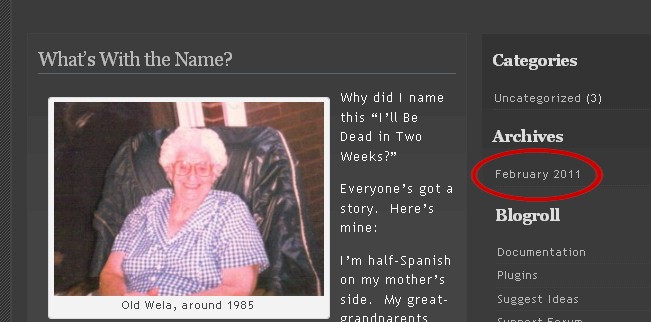
Right now, because this blog is so new, there is only one archive. Going forward, of course, there will be more.
After you select the archive, all posts in that archive will be displayed on your screen, with the most recent one at the top. By default (which is just fancy-speak for “I can’t control this”) you can only comment on the most recent post. However, there is a way to comment on older posts.
Select the name of the post you on which you want to comment.
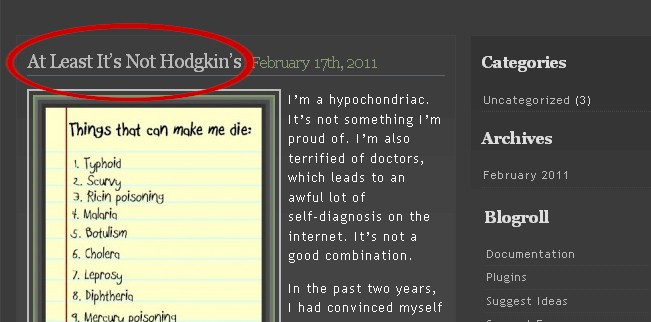
Then scroll to the bottom of the post. Well…read it first…then scroll down to the bottom. There, you’ll find a place to comment. You’ll need to enter your name and email address. Your name will be posted, your email address will not. First names are perfectly fine. But please don’t use a “non-name” like “Joe’s Tools” or something. I’ll consider your comment spam, and will not post it.
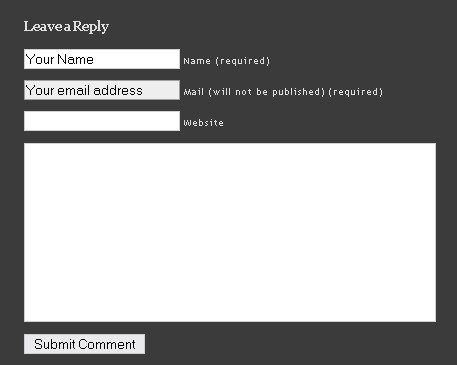
What happens next? By default, I’ll get an email indicating that I need to approve your comment. So, it won’t get posted immediately, but I’ll try to get it up there as soon as I can.
All feedback is welcome, as are suggestions and questions. All I ask is that you refrain from using profanity and vulgarities.
Thanks so much for reading!
Leave a Reply